Item Collection
On This Page

1. What Is Item Collection?
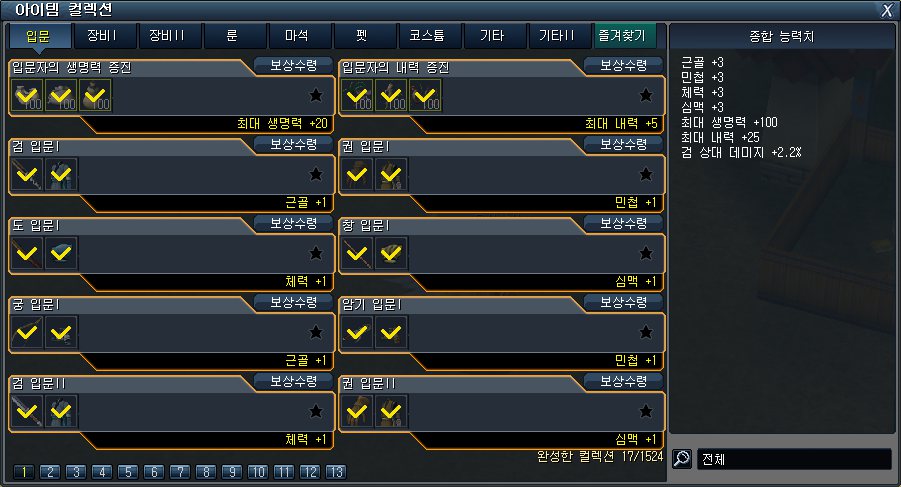
Item Collection is a system where you register in-game items to gain permanent bonus stats.
Open the window by clicking the [Item Collection] icon below the minimap.
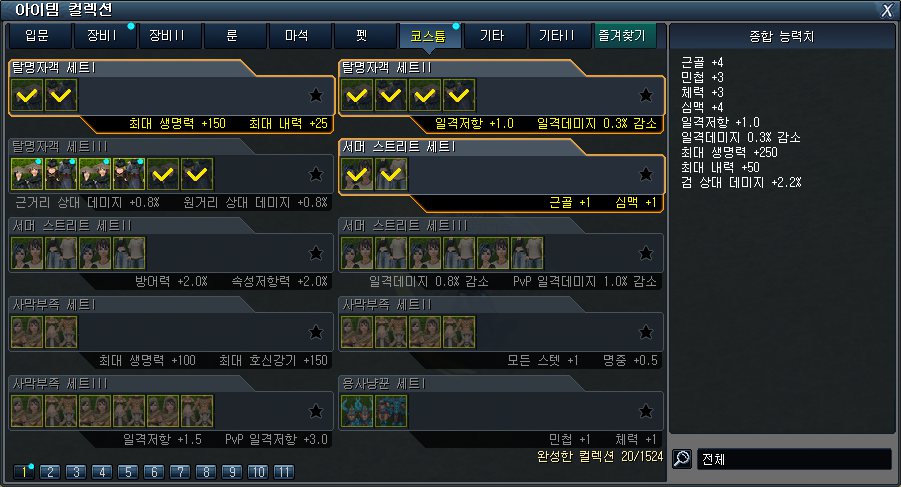
When you have items that can be registered to a collection, a blue dot is shown.


2. Registering Item Collections
As long as you own the item, you can register it to a collection.
Double-click a collection entry you can register, then drag items into it or use [Auto Fill] to register.
Once every item in a collection entry is registered, you receive that entry's stats.
Some collections also give extra rewards such as a [Silver Coin Box] on top of stats.
Right-click an item that can be used in collections and press the [Item Collection] button to filter the collections that need it.

3. Item Collection Types
● Starter
- Collections of items you can find as a new player.
- Covers Rare-grade and lower equipment, materials, Consumables, etc., and often gives a [Silver Coin Box] as an extra reward.
● Equipment I
- Collections of Rare-grade and higher equipment.
- Some collections may require equipment with a high Upgrade Level.
● Equipment II
- A collection of equipment of higher grade and stage than Equipment I.
● EP Stone
- Register EP Stones by Effect.
● Magic Stone
- Register Magic Stones by color/Effect.
● Pet
- Register Pets, your companions on the journey.
● Costume
- Register Costumes, the outfit items.
- Costumes often trade at high prices, so registering a Costume that is about to expire is a great way to get value from it.
● Others
- Register event items, rare materials and Consumables.
- Event item collections usually give their collection stats for about 1 year.
- Rare materials such as [Dark Gem], [Phoenix Feather] are valuable, so be careful when using them on collections.
● Others II
- An extension of the rare items that appear in the other categories.

In-game screenshot
Tap the image to view it full size.